Picture Resize Genius 4.5: Resize, Convert, Watermark and Rename Hundreds of Photos at Once
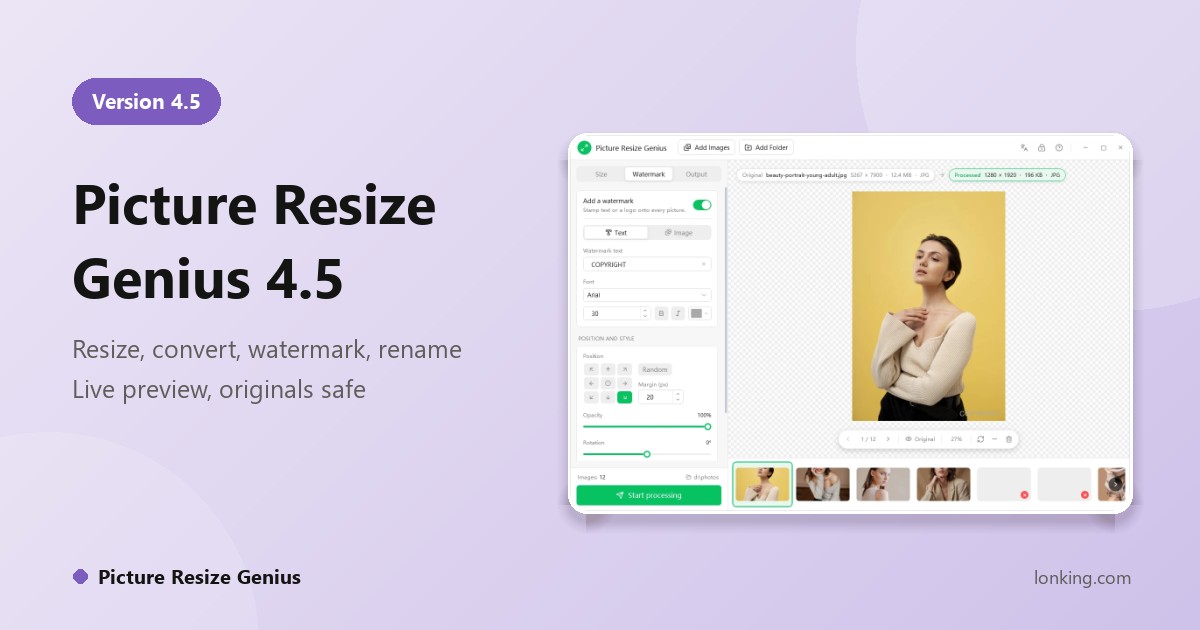
Image work should not be manual labour. Picture Resize Genius 4.5 puts resizing, format conversion, watermarking and renaming in one window, shows you the processed result and its file size before anything is written, and leaves your originals untouched. Set the rules once; every later batch is “drop in, click Start”.
Resize exactly as you need
- By pixels or by percentage, with three fit modes: keep proportions, crop to size, or fill and trim the overflow.
- Only shrink, never enlarge, so small pictures never turn blurry; nine-point crop anchoring or random.
- One-click common sizes, and a DPI setting for print or web.
Read 150+ formats, write 60+
It reads JPG, PNG, WebP, HEIC/HEIF, AVIF, TIFF, PSD, GIF, BMP, SVG, PDF and camera RAW from Canon, Nikon, Sony, Fujifilm, Leica and others, and writes JPEG, PNG, WebP, TIFF, BMP, GIF, PSD, PDF, JPEG 2000 and more, or keeps each picture in its original format. Formats that cannot be re-saved, such as RAW, export to JPEG automatically.
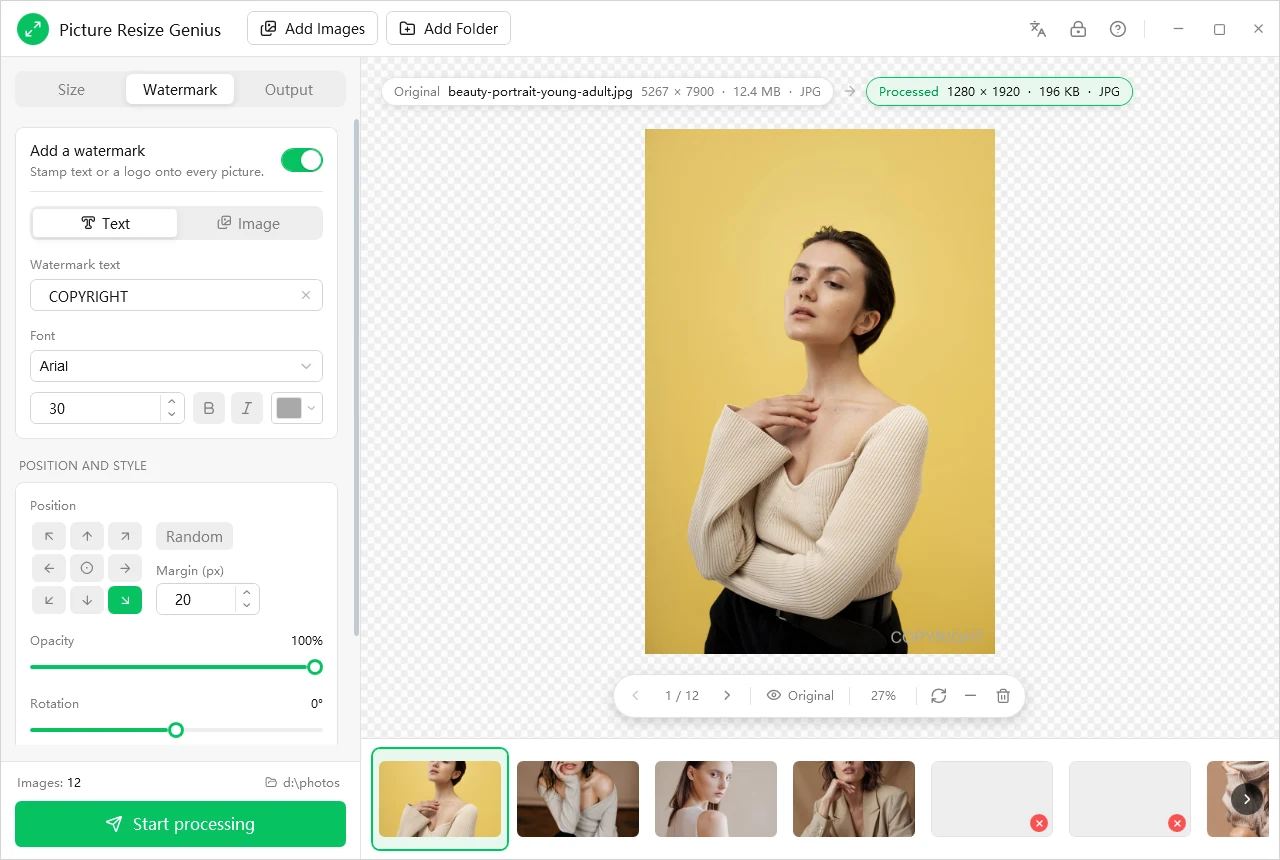
Watermark everything at once
Add a text watermark (font, size, bold, italic, colour, opacity, rotation) or your own logo with transparency. Place it on a nine-point grid or randomly, with a margin, and let it auto-scale so it keeps the same proportions on a thumbnail and on a large print.
Smart renaming
Build file names from the original name, extension, a zero-padded serial number, modified and capture dates, and EXIF fields such as camera model, artist, exposure, F-number and ISO, with a live example of the result. IMG_0001, DSC_8842 and WeChat_2026... become one tidy sequence.
See it before you save it
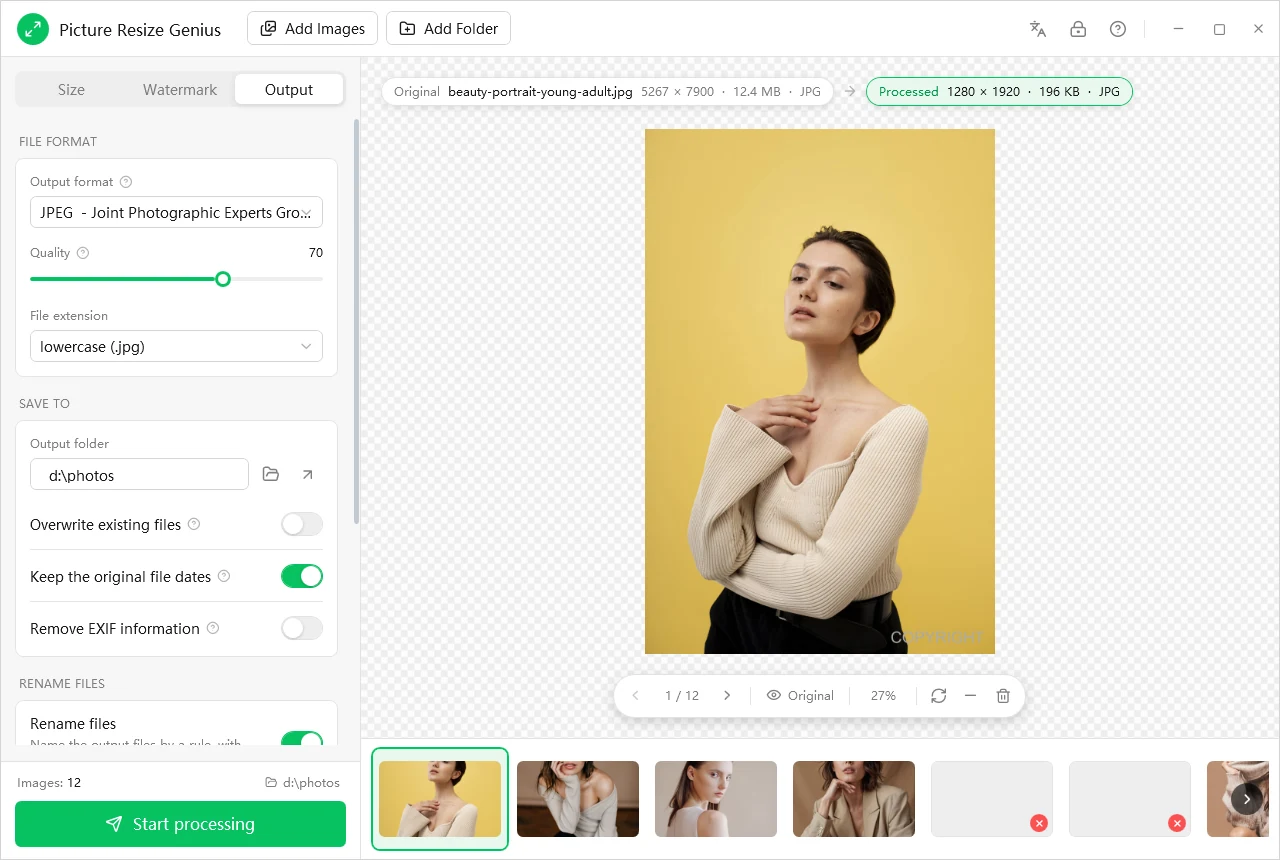
The preview runs the full pipeline (resize, watermark, output format and quality) and shows the before and after dimensions, format and estimated file size. Toggle between Original and Processed, page through the photos and remove any you do not want in the batch.
Originals safe, privacy intact
- Results are always new files; a source image is never overwritten, even in Overwrite mode.
- Everything is processed on your PC: no uploads, no cloud queue, no account needed to get work done.
- One click strips EXIF and XMP metadata, including the embedded thumbnail, and pictures are auto-rotated on import.
Fast, in your language
A multi-threaded pipeline uses several CPU cores, thumbnails and previews load through Windows fast-path decoding, and the proven ImageMagick engine gives consistent results. The interface comes in English, Chinese, French and Spanish.