
Video Snapshots Genius
Capture movie and video scenes to images, animated GIF or thumbnail galleries.

Video Snapshots Genius at a glance
Helps you quickly and easily capture your favorite movie scenes to single picture files, animated GIF or thumbnail galleries.
- Latest version
- 4.3.0.0
- File size
- 35.0 MB
- Languages
- English
- Operating system
- Windows 8 / 10 / 11, Windows Server 2012 / 2016
- Price from
- $29.99
Version 4.3 drops Windows 7 and Windows Server 2008 support.
A look inside
Every option sits where you would expect to find it, so there is nothing to learn before your first job.
What Video Snapshots Genius does
A closer look at the program and everything it can do for you.
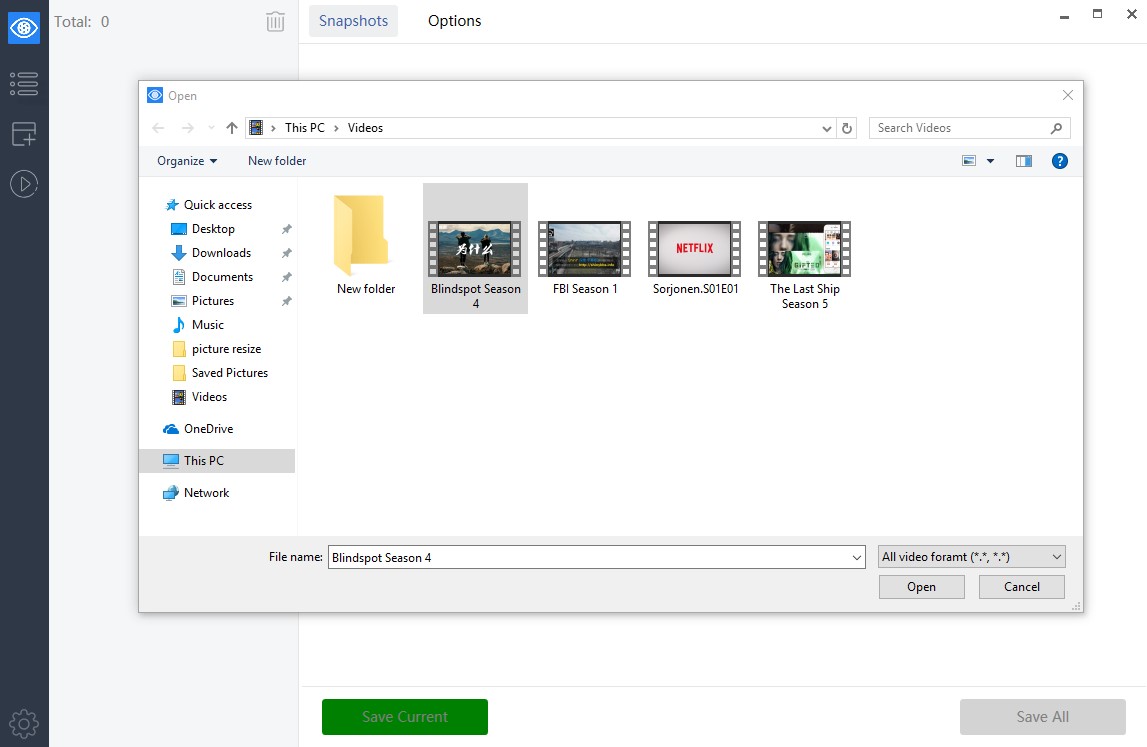
Video Snapshots Genius is the video snapshot software for capturing movie scenes to single image files or a thumbnail gallery. The program supports almost all popular formats — MPEG, AVI, WMV, DivX, Flash video (*.flv), RealMedia, QuickTime and DVD — and can open a video for preview playback without any other player.
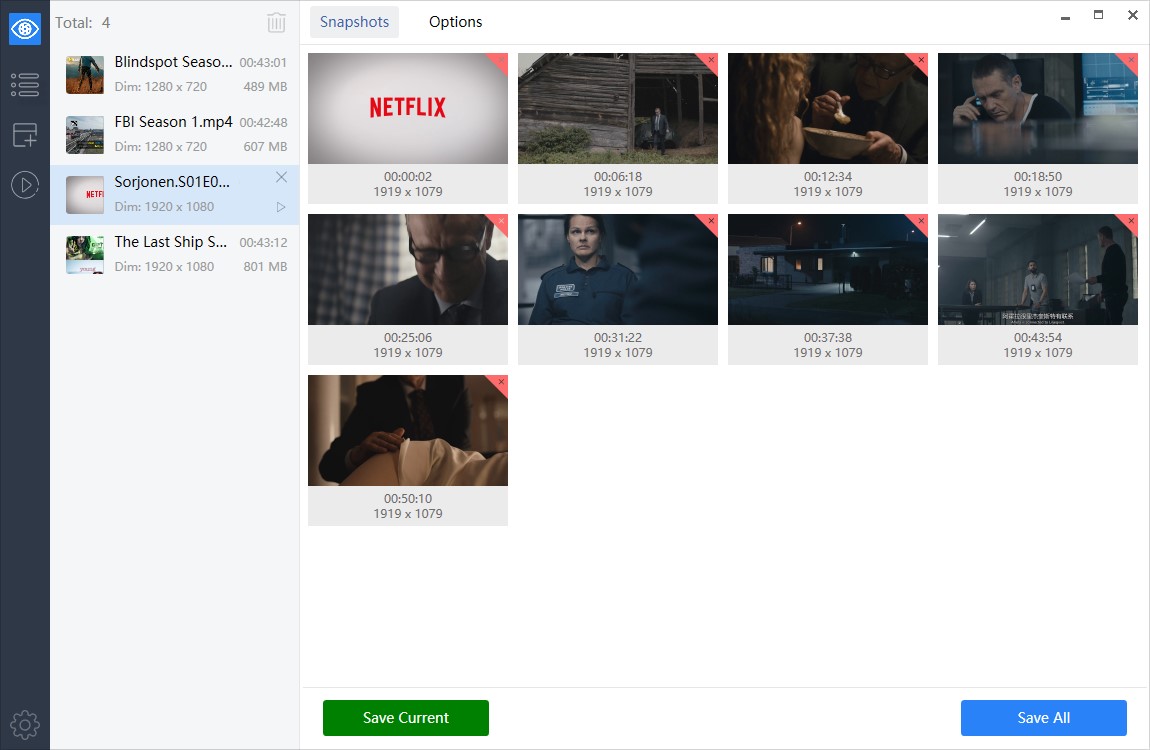
The program provides a simple point-and-click interface to take snapshots directly from a movie. Snapshots can be taken manually by browsing through a movie to snag the frames you need, or automatically at the time intervals you have predefined. The number of snapshots can be configured to your preference.
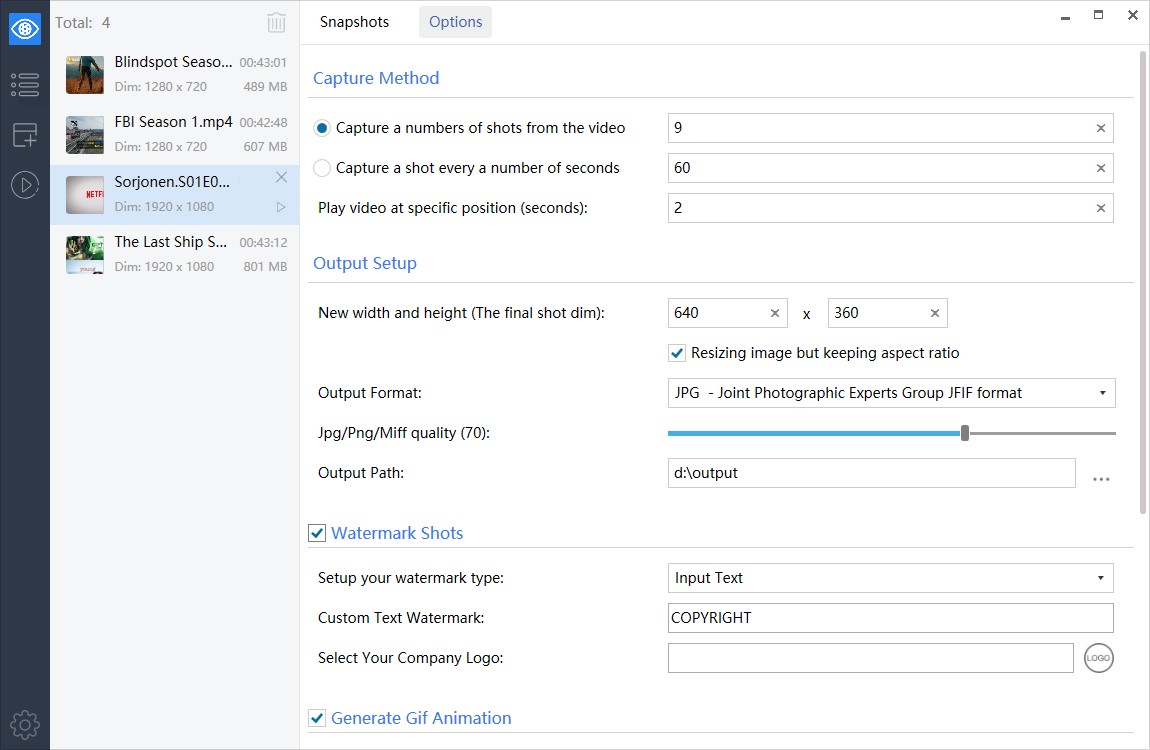
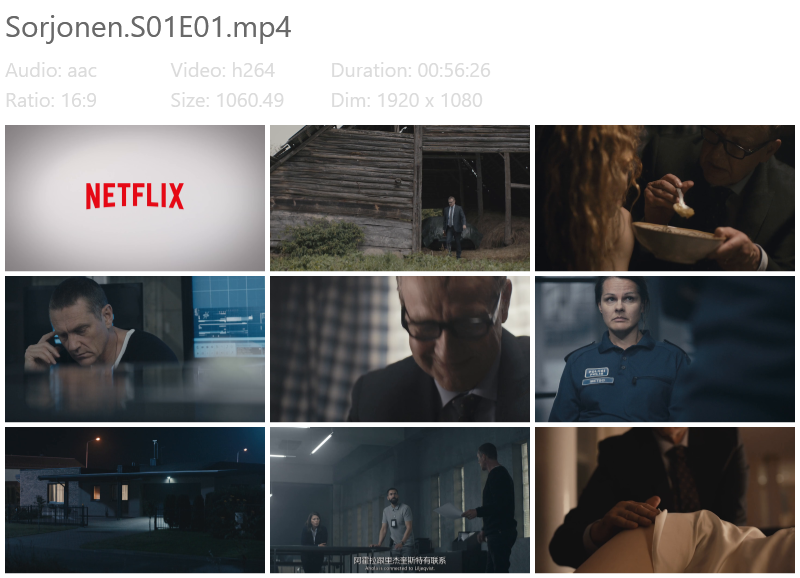
The output format is configurable too. With just a few clicks you can set width and height, choose a folder to save files, specify the name prefix for automatic naming and choose the image format: BMP, JPEG, GIF, PNG or TIFF. Adjustments of brightness and contrast are possible in the built-in picture editor, and the results can be viewed in the picture viewer. Besides that, the program can create thumbnails of snapshots and add a timestamp to them.
Users find Video Snapshots Genius useful in many ways
Make snapshots of your home video
Like most people with a phone or camera, you have plenty of videos of family holidays, birthdays and weddings that you would like to keep not only as movies but also as photos. Snapshots are easy to share by e-mail or on photo web sites.
Make your own DVD / VCD menus with title slides
Home movie enthusiasts can add snapshots of key scenes to a custom DVD menu. Choose the scene that symbolizes a portion of the movie and capture it, make a few enhancements and add it to your DVD menu editor.
Build a compelling video web site
Take snapshots of a video to add to a video web site, a catalog of videos or a presentation. Stills make the content immediately recognisable, and a series of snapshots can be turned into an animated banner.
Create your own avatar
Capture your favourite scene or actor and use it as a personal avatar on a forum, in a messenger or on social media.
Key features
The download is the full program
Install Video Snapshots Genius, run it on your own files and take as long as you need. When you are ready, a license key unlocks the copy you already have — nothing to reinstall.
- No feature held back
- The trial and the licensed program are the same file.
- One-time payment
- From $29.99 per computer. No subscription.
- Lifetime free upgrades
- Every future version is included in the price.
- E-mail support
- Answers from the people who wrote the program.


Questions about Video Snapshots Genius?
Ask us anything about what the program can do, or tell us what you would like it to do next. We read and answer every message.
Ask our support team